How to unzip master files code
If you’re reading this, your project is done — and that means your master files just landed in your inbox. Nice work.
Before you do anything else, those files are probably zipped. We compressed them into a single, smaller package so they’d actually make it through email without bouncing or taking forever to download.
Unzipping them takes about 30 seconds. Here’s how, depending on what you’re working with.
1
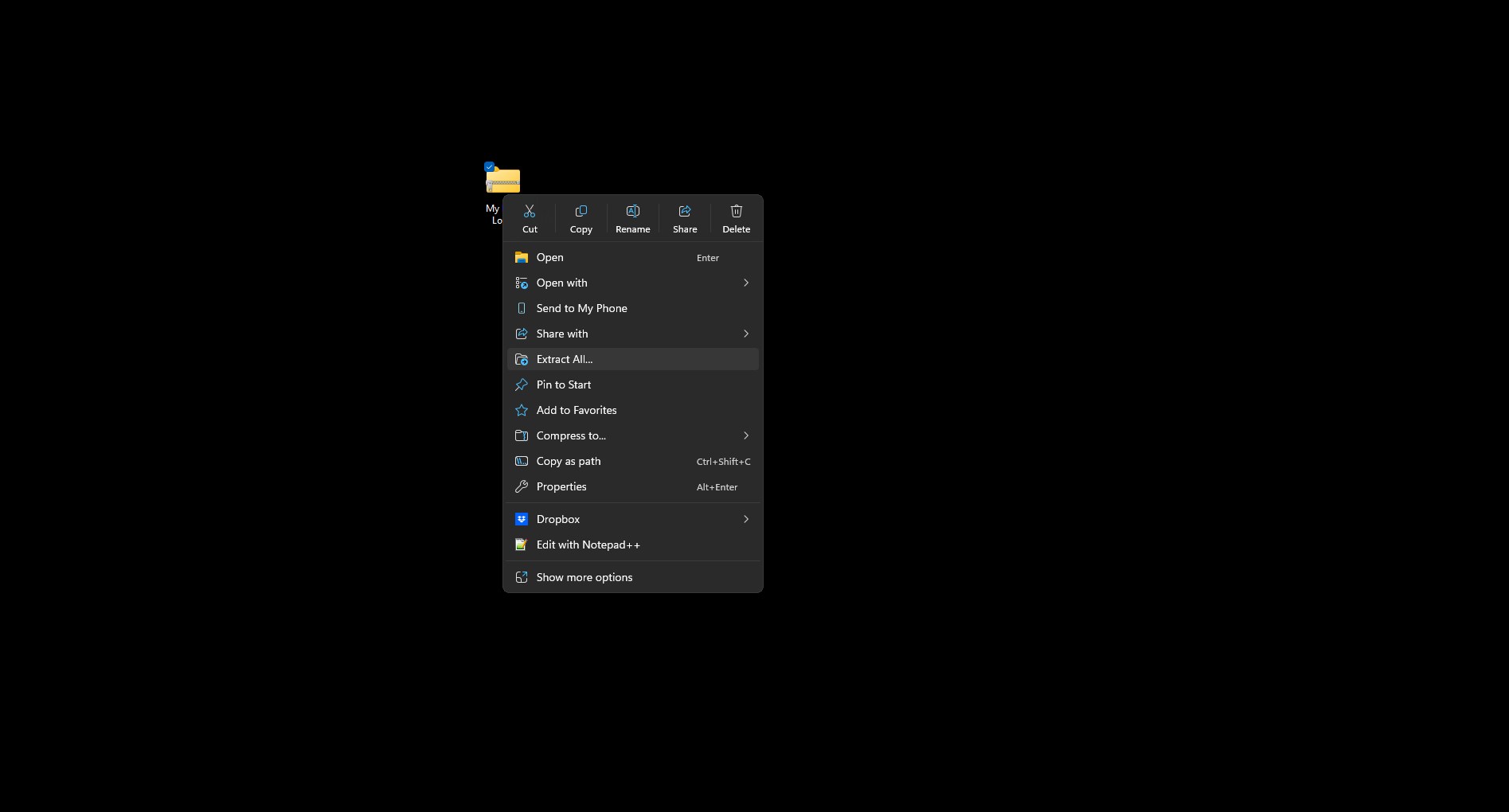
Right-click the .zip file
Find the .zip file in your Downloads folder (or wherever you saved it). Right-click on it and select “Extract All…” from the menu.
2
Pick where you want to save it
A window will pop up asking where to extract the files. Use the “Browse” button to choose a location — your Desktop or a dedicated brand folder works great. (Check the show extracted files when complete to automatically open the file)
3
Click “Extract”
Hit the “Extract” button and let it do its thing. Shouldn’t take more than a few seconds.
4
Open your files
Navigate to the folder you just saved and you’ll find everything inside — logos, exports, source files, all of it. That’s it. You’re done.
1
Double-click the .zip file
That’s literally it. macOS handles the rest automatically. A new folder with the same name will appear right next to the .zip file.
2
Open your files
Open the new folder and everything is inside — ready to use. Mac makes this one easy.
Now that your files are unzipped — back them up. Cloud storage, USB drive, both. Just don’t leave them sitting in one place. Our Master Artwork Precautions guide covers exactly how to make sure you never lose the files you just paid for.
If you run into any issues or something looks off with your files, just reach out. We’ll walk you through it.